Tips for Searching
Image copyright Adobe Stock
Search tips
Some of the main types of information search tools include web search engines, open and subscription databases, generative AI chatbots, and AI research assistants (see our Quick Thing on Generative AI). This page compiles some of our top tips for using these different types of tools. These tools change often: researchers, librarians, and students are all in their own way constantly learning and relearning how to best use them. Don’t expect to be an expert right away! Proficiency comes through play and repeated experimentation.
Web search tip: Advanced search operators
Web searching is equal parts ability to distinguish useful sources from irrelevant or low quality information and developing reliable strategies for where and how to find useful information. "Advanced Googling" is an informal name for one such strategy that uses search operators and shortcuts to help you sieve through the overwhelming amount of information available. You can also combine more search parameters using the Google advanced search page.
For example, use double quotation marks to search for an exact phrase like “climate change” or use after: or before: to search for results before or after a particular date. In addition, searching by file type such as PDF can be very helpful to find reports and papers published by agencies, institutes, research centres, non-governmental organizations, etc.
Examples:
“climate change” before:2008-09-25
“climate change” after:2008-09-25 filetype:pdf
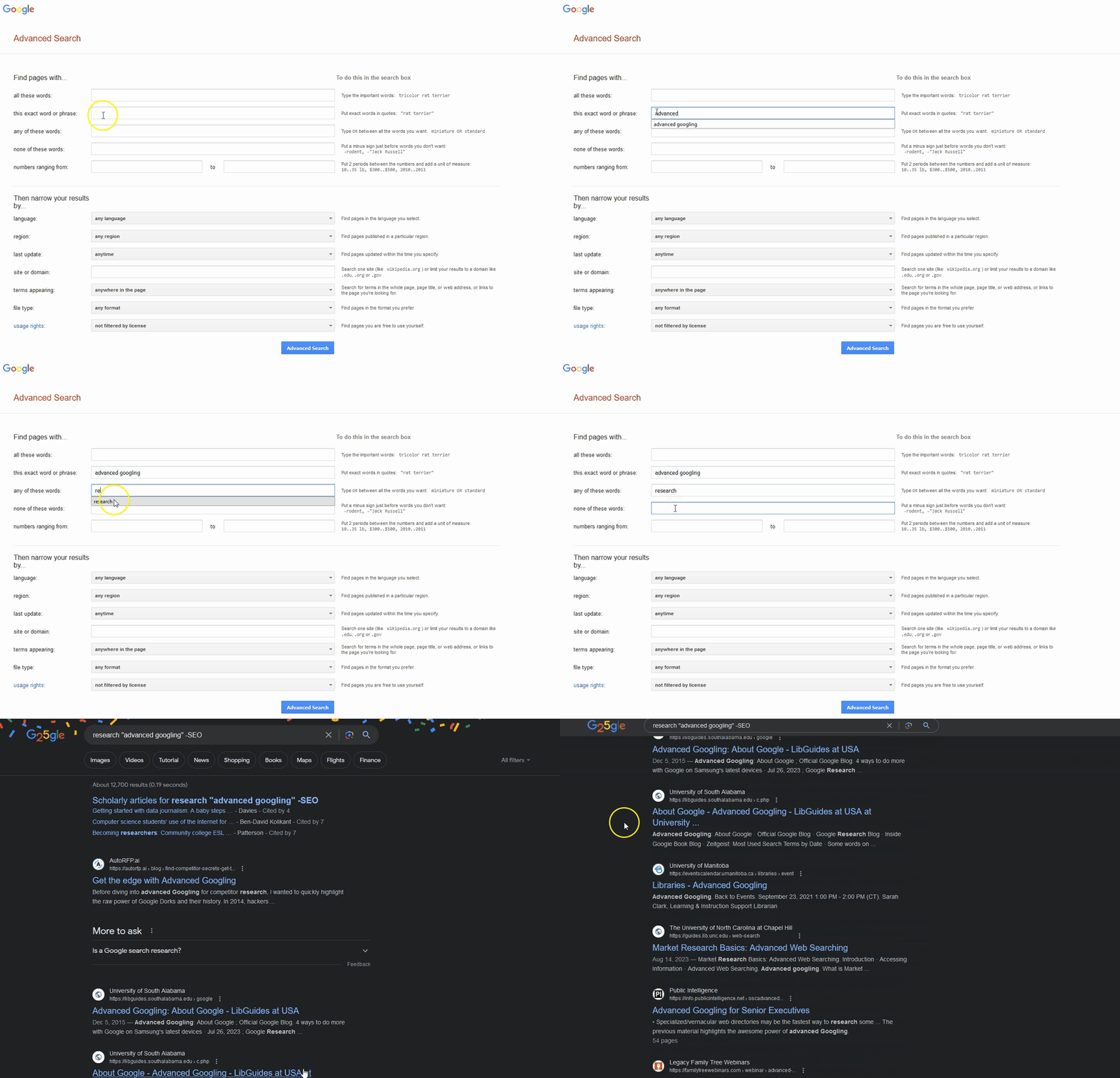
An animation showing how to find the google advanced search bar and an example of where to input search terms.
Web search tip: Internet Archive / Wayback Machine
Google and other web search engines crawl webpages to make them accessible to you in your searches (at the price of subjecting you to ads). The Internet Archive also crawls webpages but instead makes frequent copies of the open web, at no cost to the user. The Wayback Machine is an interface that allows you to access a chronology of all the captures taken for a particular webpage. As it is an automated tool, it is not perfect, and some multimedia, layered, embedded, or interactive content sometimes escapes as webpages are abandoned and only partial backups remain. Nevertheless, the Archive’s millions of saved pages offer a wealth of historical information. They can also be very useful for anyone trying to track down a page or document that no longer seems to load or that has changed significantly since the last time it was accessed.
In addition, the Internet Archive has become one of the largest open multimedia repositories. Scanned books are saved alongside zines, magazines, digitized movies, and extensive audio databases. Public domain materials can be downloaded freely, and copyrighted material can often be accessed temporarily with an account. Users can contribute material and create collections based on themes of interest.
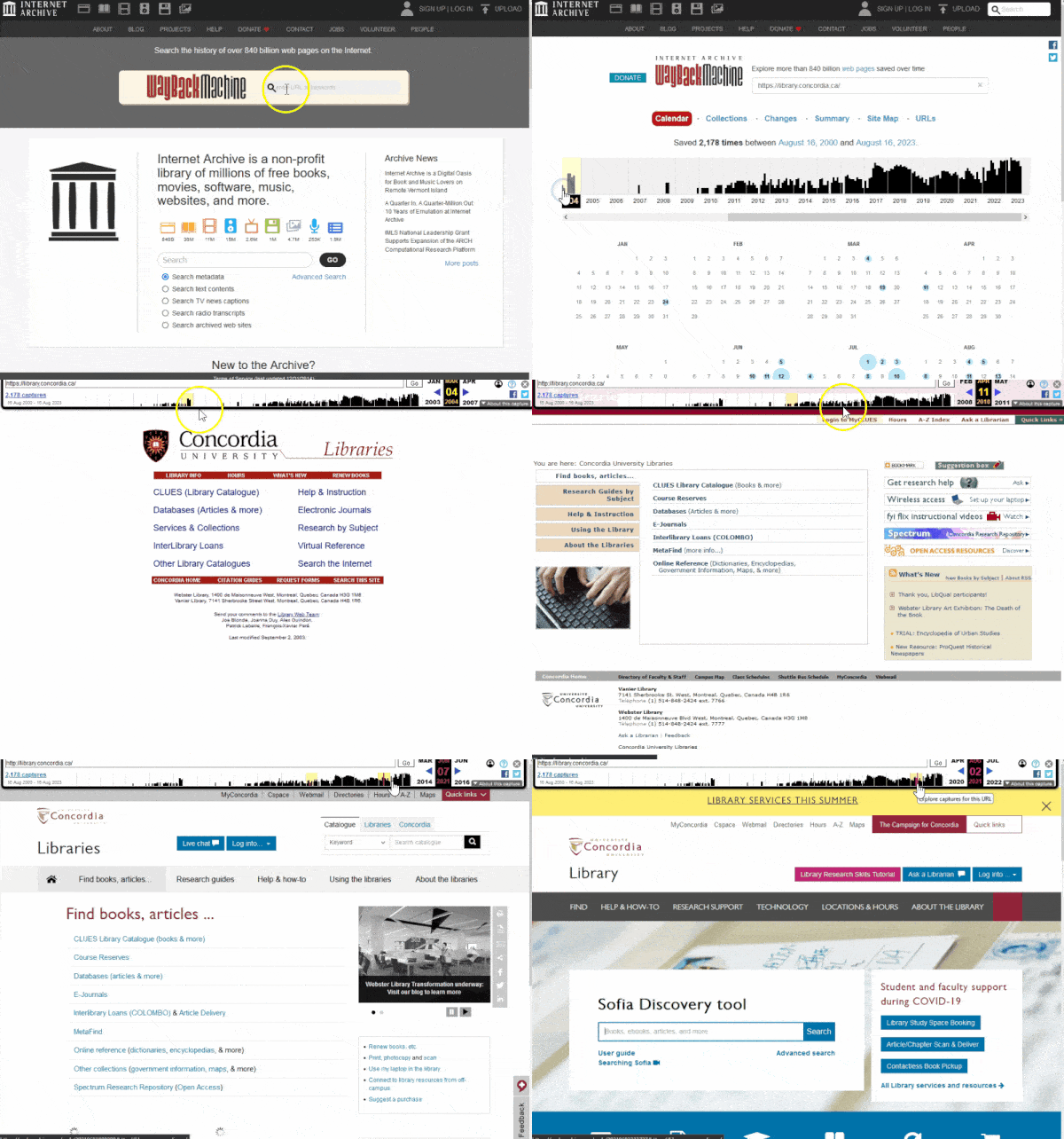
A chronology of the Concordia library website design using the Wayback Machine.
Database search tip: Find the help files
All databases have a page called “about” or “help” or “how to use” or “search tips” that details important information like advanced search techniques, what information sources are included in the database, what fields are searched by default, and so on. You can also find information about what is covered in a database from the Library’s database list. For example, you can find out if only certain years are covered. You might also discover if you’re only searching, for example, within articles’ titles and abstracts rather than the full text, which would mean that your keywords shouldn’t be too specific.
Spending 5 minutes looking at the help files before beginning a search can save you lots of time later!
For more advice on database searching, visit the Library Research Skills Tutorial.
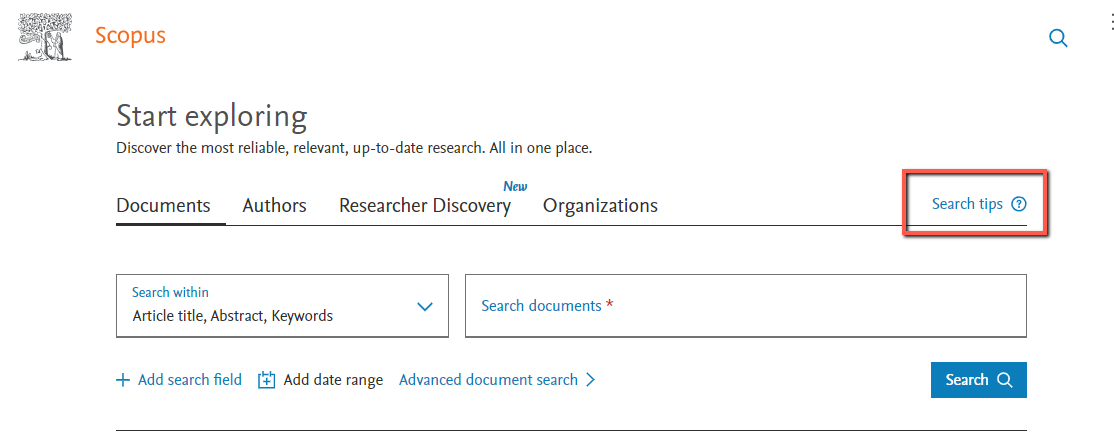
A screenshot of the Scopus search page with the search tips link higlighted
Databases and AI research assistants tip: Looking forward and backwards
The basis of Western knowledge development is the act of citing. By reviewing a text's references, we understand where an idea is coming from. By seeing who cites a particular paper after it is published, we have a record of where an idea is going. Most research databases automatically extract the references in a paper as it gets added to the database, placing it in a very large web of interconnected publications. As new papers come out, new connections are made.
When using article databases, whether they are subscription databases from the Library or open databases including Google Scholar, or AI-powered research assistants, look for functions that will allow you to view both the references cited by a publication (looking backwards) and publications that later cited the item you’re viewing (looking forward).
The example in this section is adapted from an activity in Dr. Abby Kinchy's "Concepts in STS" course, as taught in 2018 at Rensselaer Polytechnic Institute, and is used with permission.
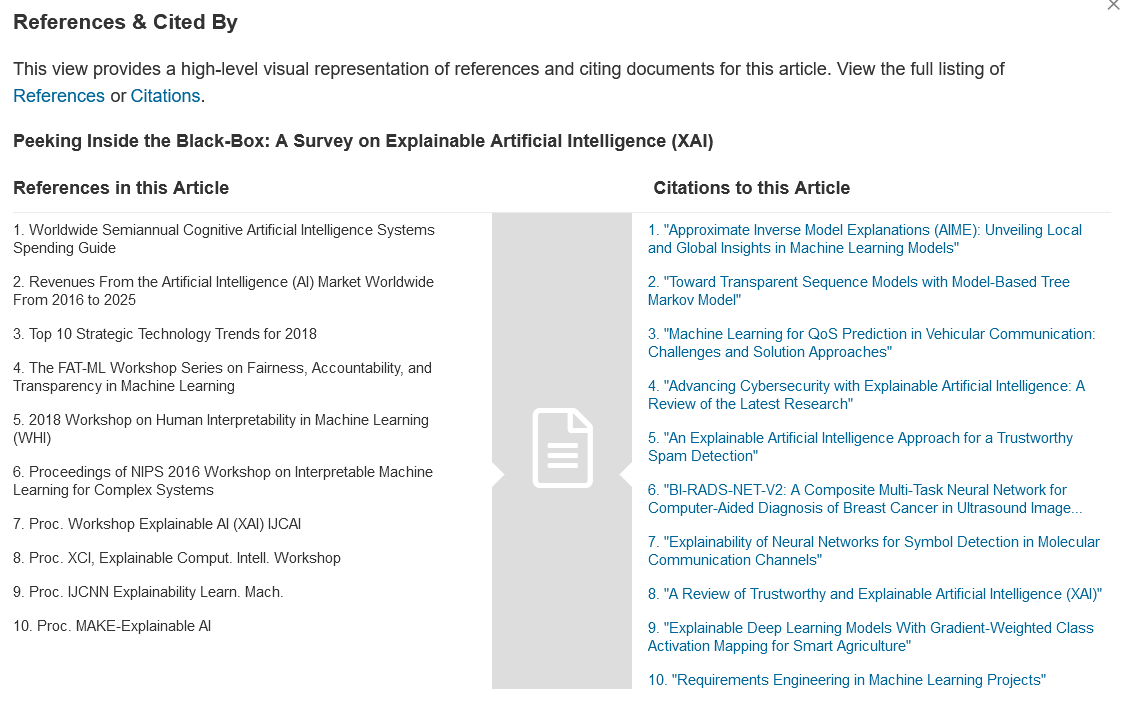
The IEEE search database displays the most cited references in and later references to a particular paper, placing it in its research context and chronology.
AI search tip: CLEAR framework
The CLEAR framework (Lo, 2023) is a way to approach prompt engineering. Prompt engineering is the practice of structuring an input for an AI tool to get an intended response. CLEAR stands for:
- Concise
- Logical
- Explicit
- Adaptive
- Reflective
Short, well-worded and precise prompts accommodate for the fact that the language models at the heart of AI search tools still cannot deal very well with abstract concepts and need to be given a clear context. Adaptive points to the importance of experimentation and responding to the tool's output and reformulating it as needed. As an interaction with Google’s Gemini Advanced chatbot put it, “Generative AI is best understood as a powerful conversational partner, not an all-knowing oracle. Don't expect to get the perfect result with the first prompt you offer.” Reflective hints at the criticality at the heart of that adaptive process: you may need to spend time thinking about how you can reformulate to get a better result, or at least understand why you got the result you did.
Animation of where to input prompts in an AI chat tool
AI search tip: Choose the right tool for the task
Like other types of search tools, AI-powered search tools are suited to different types of queries and tasks. When choosing a tool to use, it’s important to think about your needs and the various tools’ strengths and weaknesses. Some considerations include:
- What are the data sources? For example, does the tool include information from your field of interest? (E.g., science, arts, business, etc.)
- How accurate is the output? For example, does the tool have ways of explaining its output, citing its sources, and frequently updating its source data?
- How is users’ data handled? For example, can you choose to keep your interactions private if you choose to?
It has been suggested that it takes around 10 hours of experimentation to get a good sense of how a generative AI tool might be useful for you in professional contexts (Mollick, 2023), and the same probably applies to AI search tools. Since AI tools are meant to be assistants, it takes time to figure out how they fit into your workflow.
Resources


References
Google. Do an Advanced Search on Google.
Joshua Hardwick. Google Search Operators: The Complete List (44 Advanced Operators). 2023.
Lo, Leo S. The CLEAR Path: A Framework for Enhancing Information Literacy through Prompt Engineering. The Journal of Academic Librarianship, Volume 49, Issue 4. 102720. 2023.
Mollick, Ethan.What people ask me most. Also, some answers. One Useful Thing. 2023.